Build Your Own AI Agent in iMessage in 2026 With Mastra and Photon
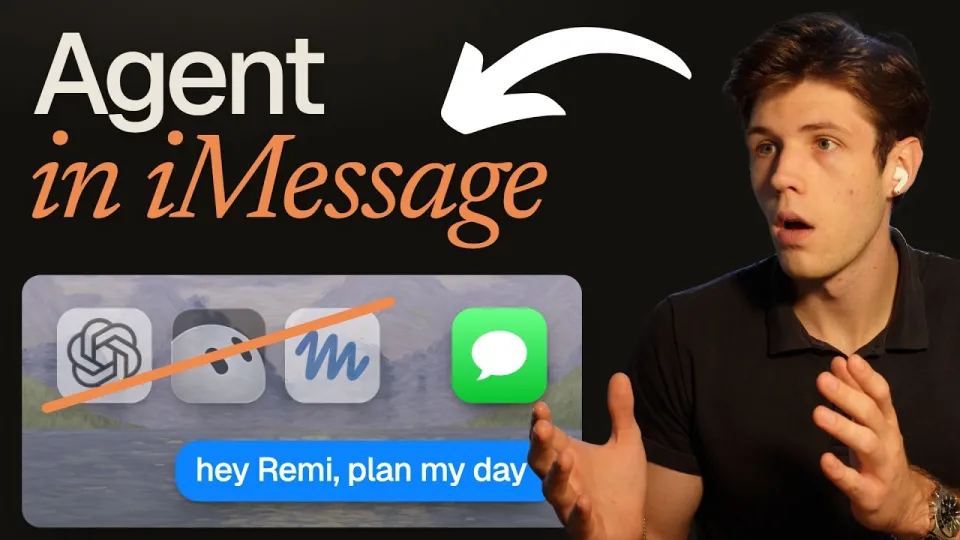
Video: I Built My Own AI Agent in iMessage (Like Dots, Grok Bot & Muse)
· based on the channel Kristian
An AI agent in iMessage is a bot that shows up in the Messages app as an ordinary contact: you text it, it texts back, and it can act on your calendar, notes and email without a separate app. The most direct way to get one is to assemble it from six parts — a model-driven brain, a messaging channel, app integrations, a sandboxed computer, schedules and memory — which is exactly what the Remi project does; its full source is in the Remi iMessage agent repository on GitHub. Everything below describes that stack and how each piece works.
Why an iMessage AI agent beats another app
The core argument for building in iMessage is distribution: the assistant lives where the conversation already happens, so there is no icon to remember and no onboarding flow. Products like Dots, Grok Bot and Muse all ask the user to install and return to their own app; an iMessage agent turns the assistant into a phone contact instead.
That changes the interaction model in three practical ways:
- Zero-friction entry. The user opens Messages, taps the contact and types. No login screen, no push-notification permissions to grant.
- One endless thread. Instead of separate sessions, the agent keeps a single continuous conversation, which makes short follow-ups like "move that to Thursday" work naturally.
- The agent can start the conversation. Because it is a contact with a phone number behind it, it can text first — a morning briefing, a reminder, a summary — rather than waiting to be opened.
A viewer of the build raised a fair architectural doubt: is it worth wiring up hosted services when you could instead run a single MCP server that exposes tools for every platform? Both approaches are valid. The hosted route (Composio in this stack) is faster to stand up and handles OAuth and tool schemas for you; a self-hosted MCP server gives more control and fewer vendors. The six-part structure below stays the same either way — only the implementation of the app-connection layer changes.
The six pieces every iMessage agent shares
Every assistant of this type is the same six components in a different order, and each one maps to a specific tool in the Remi build. The brain is a Mastra agent running a model such as Claude Haiku through OpenRouter; the channel is Photon; the app layer is Composio; the computer is a Daytona sandbox; schedules and memory are Mastra features; hosting is Railway with Postgres.
The split matters because it keeps failure modes separate. If the bot stops replying, the problem is in the Photon channel or the Railway deployment. If it replies but cannot read your calendar, the problem is a Composio connection or a missing approval. If it forgets what you said yesterday, the problem is memory. Debugging a monolith that does all six things at once is far harder.
The brain: Mastra and the model
Mastra is an open-source TypeScript framework for AI agents, and it supplies the agent loop, the tool-calling runtime and the scheduling and memory primitives. The model itself is swappable: Claude Haiku is a cheap, fast choice for text-message-sized turns, and OpenRouter lets you route to other providers without rewriting the agent. The brain's job is narrow — decide whether to answer directly or call a tool, then compose a short reply suitable for a text bubble.
The channel: Photon and the blue bubble
Photon provides the iMessage side, so the agent appears as a real contact with a real thread. There are three ways a message can enter the system: the user texts the agent, a schedule fires, or an external event triggers a proactive message. All three land in the same handler, which is what makes the agent feel like one continuous conversation rather than a set of commands.
The app layer: Composio for Notion, Calendar and Gmail
Composio supplies pre-built connections to Notion, Google Calendar and Gmail, so the agent can read a page, check availability or draft an email without you writing OAuth code. The important design decision here is approvals: sensitive actions — sending mail, editing a shared document — should pause and ask the user to confirm before execution. That single guardrail prevents the most common failure of a personal agent, which is doing something helpful-looking that the user did not want.
The computer: a Daytona sandbox
Daytona gives the agent its own machine, a sandboxed environment where it can run code, inspect files and execute multi-step tasks that a language model cannot do by reasoning alone. Isolation is the point: the agent gets a real environment to work in without touching the host system, and the sandbox can be reset when a task goes wrong.
Schedules: the agent that texts first
Mastra schedules turn the agent from reactive to proactive. A cron-style job can fire a morning briefing, a weekly review or a reminder, and the output is delivered through the same iMessage thread. This is the feature that most distinguishes a contact-based assistant from a chat window: the initiative sits with the agent.
Memory: one endless chat
Observational memory in Mastra lets the agent keep a running record of what it has learned about the user across the whole thread, rather than treating each message as a fresh request. In practice this is what allows references like "the project I mentioned" or "my usual meeting time" to resolve correctly weeks later, and it is the piece most likely to be underestimated when people build their first version.
Deploying the agent on Railway with Postgres
The deployment target is Railway with a Postgres database, which keeps the whole stack in one place: the Mastra server, the Photon webhook endpoint and persistent storage for memory. A working order for a first deploy is:
- Create the Railway project and add a Postgres instance.
- Set environment variables for the model provider, Photon, Composio and Daytona credentials.
- Deploy the Mastra server and confirm the health endpoint responds.
- Point the Photon webhook at the deployed URL and send a test text.
- Add one schedule and verify the agent messages you unprompted.
Keep the first version deliberately small — one app connection, one schedule — and add the rest once the loop is proven end to end.
Common questions about building an iMessage bot
The most frequent doubts are about cost, privacy and whether the hosted services are mandatory. On cost, the expensive parts are the model calls and the sandbox minutes, not the messaging layer; a fast small model and short replies keep token usage low. On privacy, the agent reads real calendar and email data, so scoping Composio connections to the minimum necessary and keeping approvals on for write actions is the practical safeguard. On lock-in, none of the six pieces is strictly required: the brain can run any model, the app layer can be replaced by a self-hosted MCP server, and the computer can be swapped for another sandbox provider.
All links from the build
- Source code: https://github.com/Quintui/remi
- Mastra framework: https://mastra.ai
- Photon (iMessage): https://photon.codes
- Composio (Notion, Calendar, Gmail): https://composio.dev
- Daytona (agent computer): https://daytona.io
Summary
An iMessage AI agent is six separable parts, and building one yourself is mostly a matter of wiring them in the right order: Mastra for the brain, schedules and observational memory, Photon for the messaging channel, Composio for app access with approvals, Daytona for an isolated computer, and Railway with Postgres for hosting. The result behaves like a contact rather than an app — one endless thread that can also start the conversation. The full walkthrough of this build, including each of the six pieces, comes from the channel Kristian, and the code is ready to fork at https://github.com/Quintui/remi.
Key takeaways
- An iMessage AI agent is a bot that appears as a normal contact in the Messages app, so no extra app is installed.
- The reference build, Remi, uses Mastra (agent, schedules, observational memory), Photon (iMessage), Composio (Notion, Google Calendar, Gmail), Daytona (a sandboxed computer) and Railway with Postgres (hosting).
- The agent is assembled from six parts: the brain, the iMessage channel, app connections, its own computer, schedules and memory.
- Composio tool calls can require explicit user approval before an action such as sending an email is executed.
- Full source code is published at https://github.com/Quintui/remi.
Source: I Built My Own AI Agent in iMessage (Like Dots, Grok Bot & Muse) · Markdown version
Questions & answers
Do I need to install an app to use an iMessage AI agent?
No. The agent is a contact in the Messages app, so the user texts a phone number and gets replies in the normal thread. The only setup is on the builder's side: a Photon number, a deployed Mastra server and the credentials for the connected apps.
Is it better to use hosted integrations like Composio or a self-hosted MCP server?
Hosted integrations are faster to start because OAuth flows and tool schemas are handled for you, which suits a first working version. A self-hosted MCP server that exposes tools for each platform gives more control and fewer vendors, at the cost of more setup and maintenance. The rest of the architecture does not change.
How does the agent remember earlier conversations?
Mastra's observational memory keeps a running record of facts and context across the single continuous thread. That is what lets the agent resolve references to earlier projects or preferences instead of treating every message as a new request. Persistence lives in the Postgres database on Railway.
What does it cost to run a personal agent like this?
The main variable costs are model tokens and sandbox runtime. A small fast model such as Claude Haiku with short text-message replies keeps token usage low, and Daytona sandboxes only consume resources while tasks run. Messaging and hosting are comparatively small fixed costs.